A shelf that follows you between apps
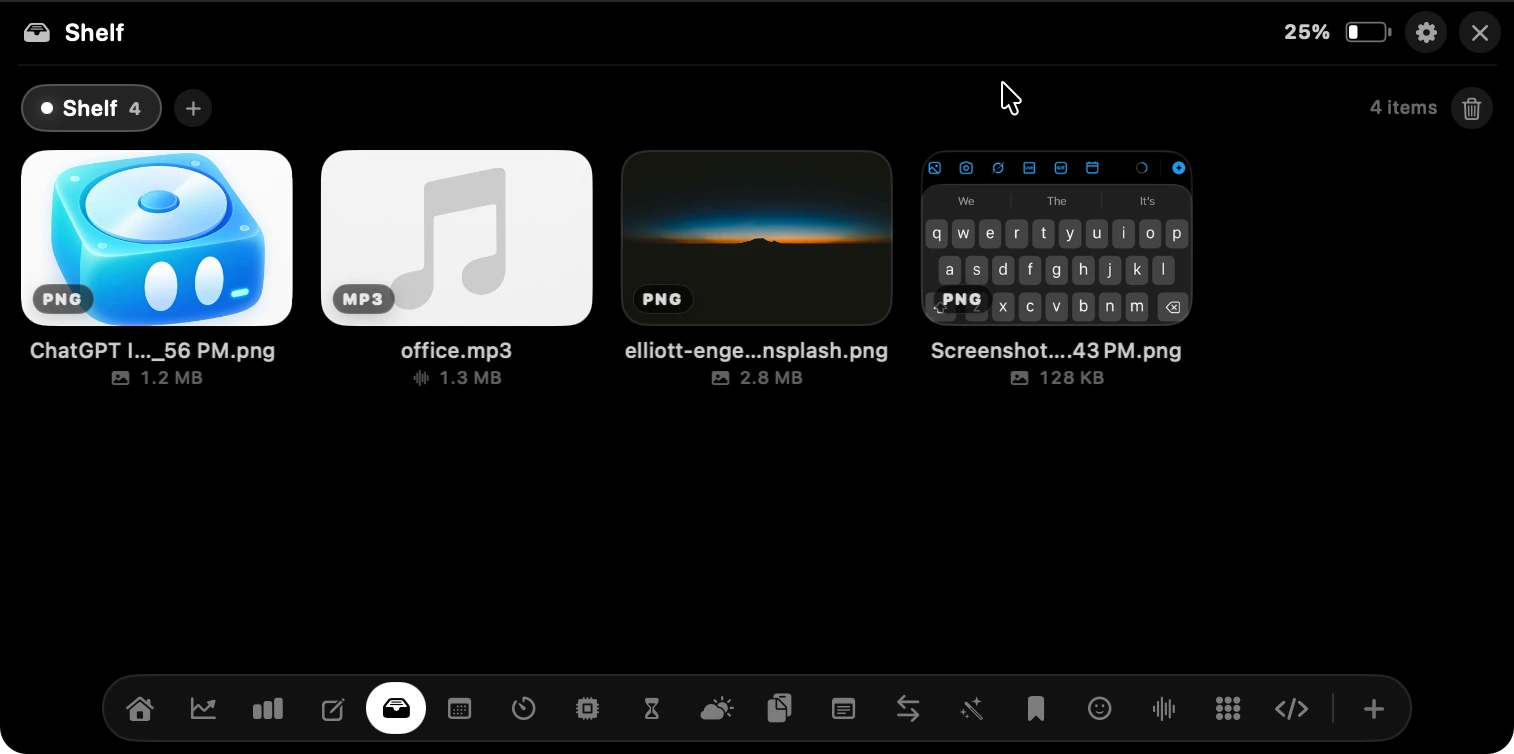
Drag anything onto the notch and it parks there. Drag it back out into Figma, Mail, Slack or Finder whenever you need it — no downloads folder round trip.
Notch Plus brings revenue, traffic, prompter, timers, files, notes, clipboard, system stats, and more to the space around your MacBook's notch — always just a hover away.
The notch used to be
wasted space.
Not anymore.
 Mehul Maheriya@mehulmaheriya28Sep 17, 2026
Paste in a read-only key and your numbers show up in the notch. The key never leaves your Mac, and it can only read — never change anything.
 DataFastAnalytics
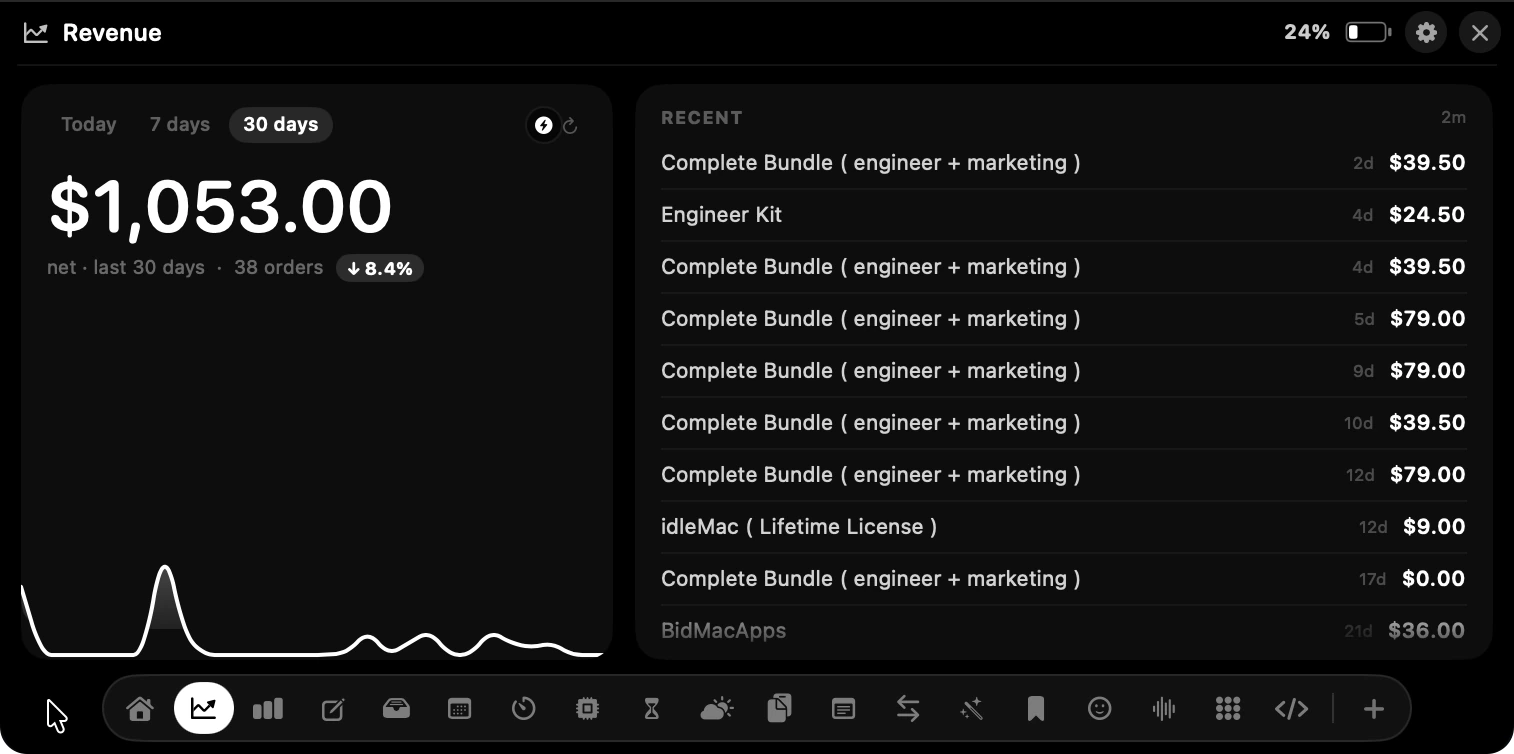
Connect Stripe, Polar or Razorpay with a read-only key and today's takings live in the notch. Every sale lands as a banner with the amount, and the running total stays on the glass after it fades.
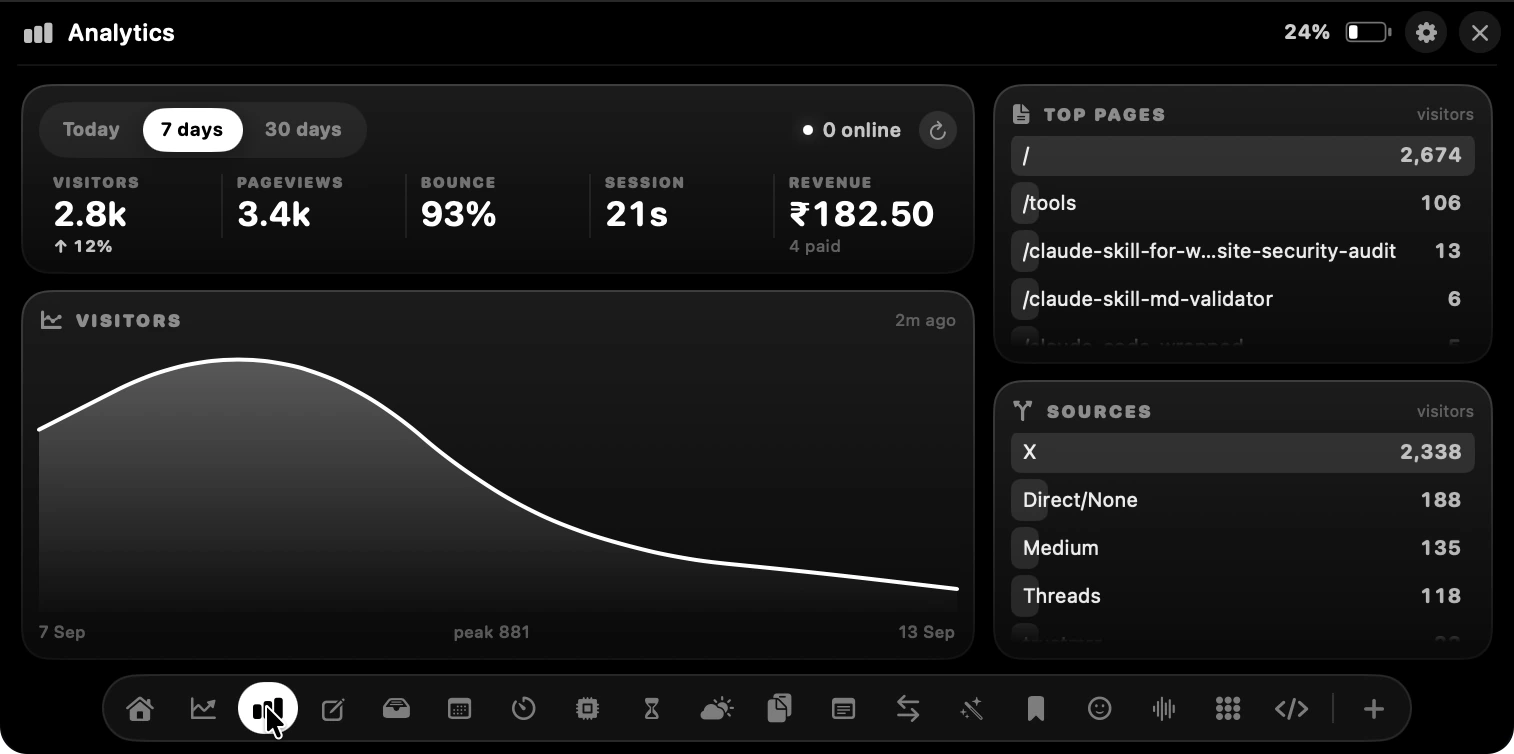
DataFast plugs straight in: visitors, pageviews, bounce rate, average time, top pages and where people came from. Keep the live count on the collapsed notch and you will never open the dashboard again.
Drag anything onto the notch and it parks there. Drag it back out into Figma, Mail, Slack or Finder whenever you need it — no downloads folder round trip.
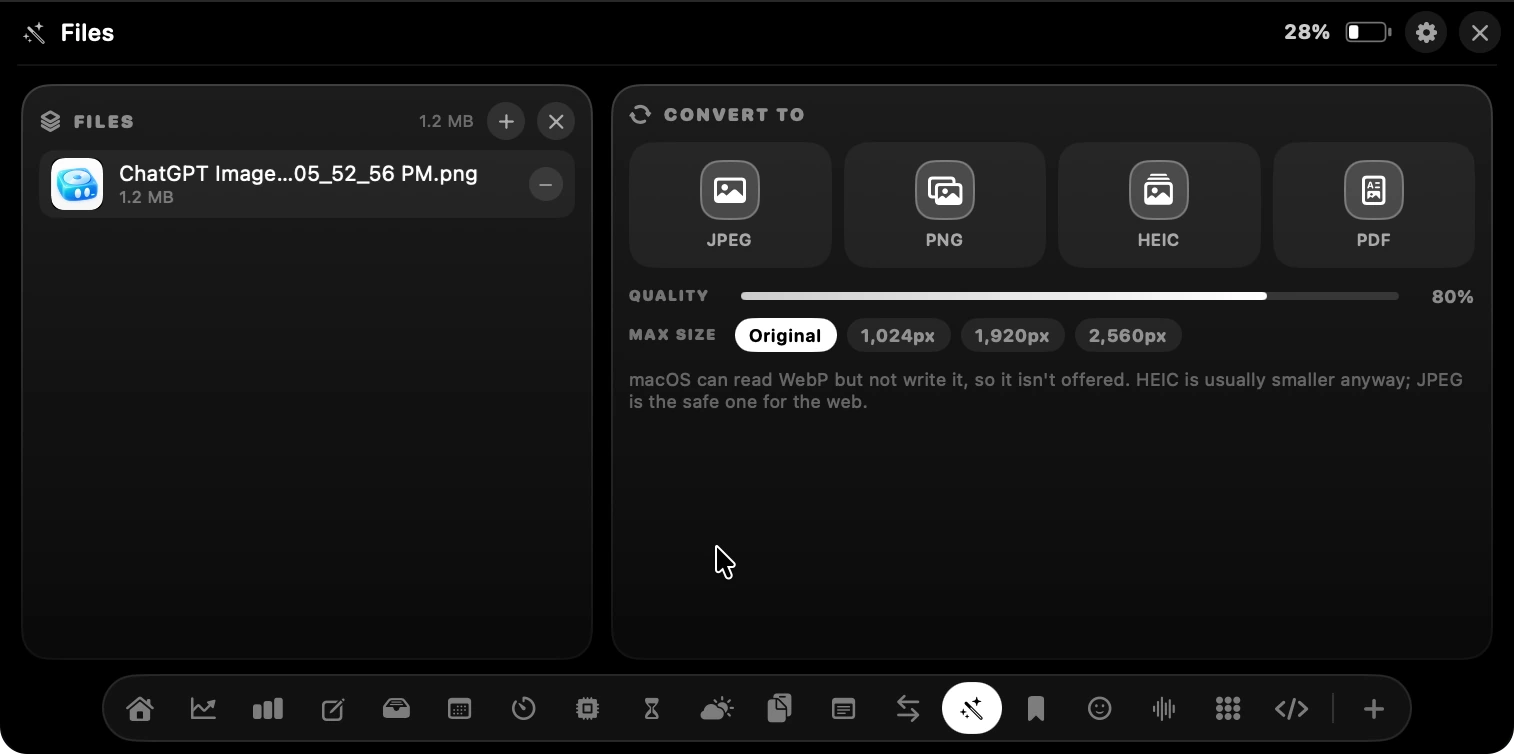
Drop an image in and send it back out as JPEG, PNG, HEIC or PDF, with a quality dial and a max size. It happens on your Mac — nothing gets uploaded anywhere.
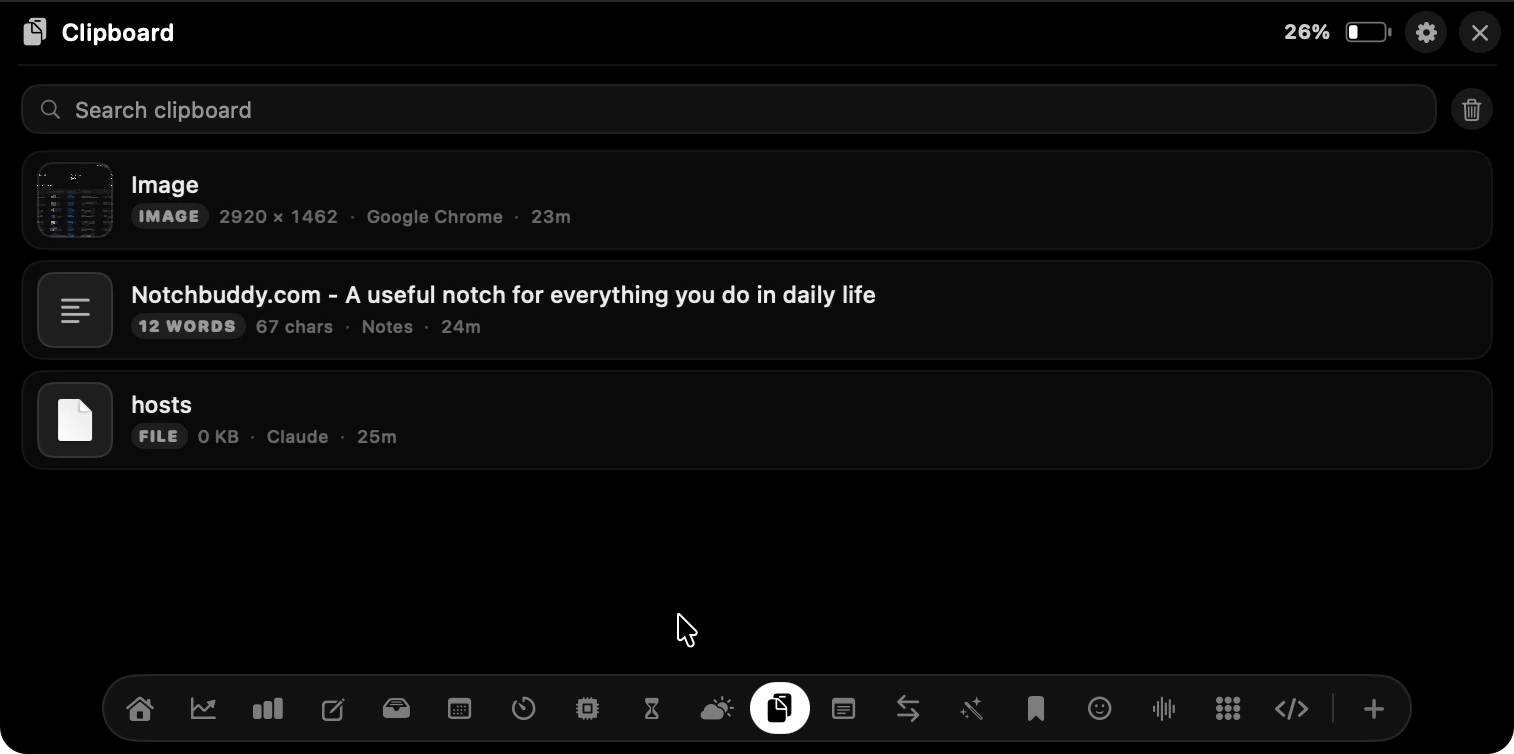
Text, links, images and files, each tagged with where it came from and how long ago. Search it, click it, paste it. The thing you copied three hours ago is still there.
A pomodoro that remembers your cycle, a countdown, a stopwatch with laps and a hydration nudge. Next to them, the numbers you glance at all day: CPU, memory, disk, network, battery health, and exactly where the last seven days went.
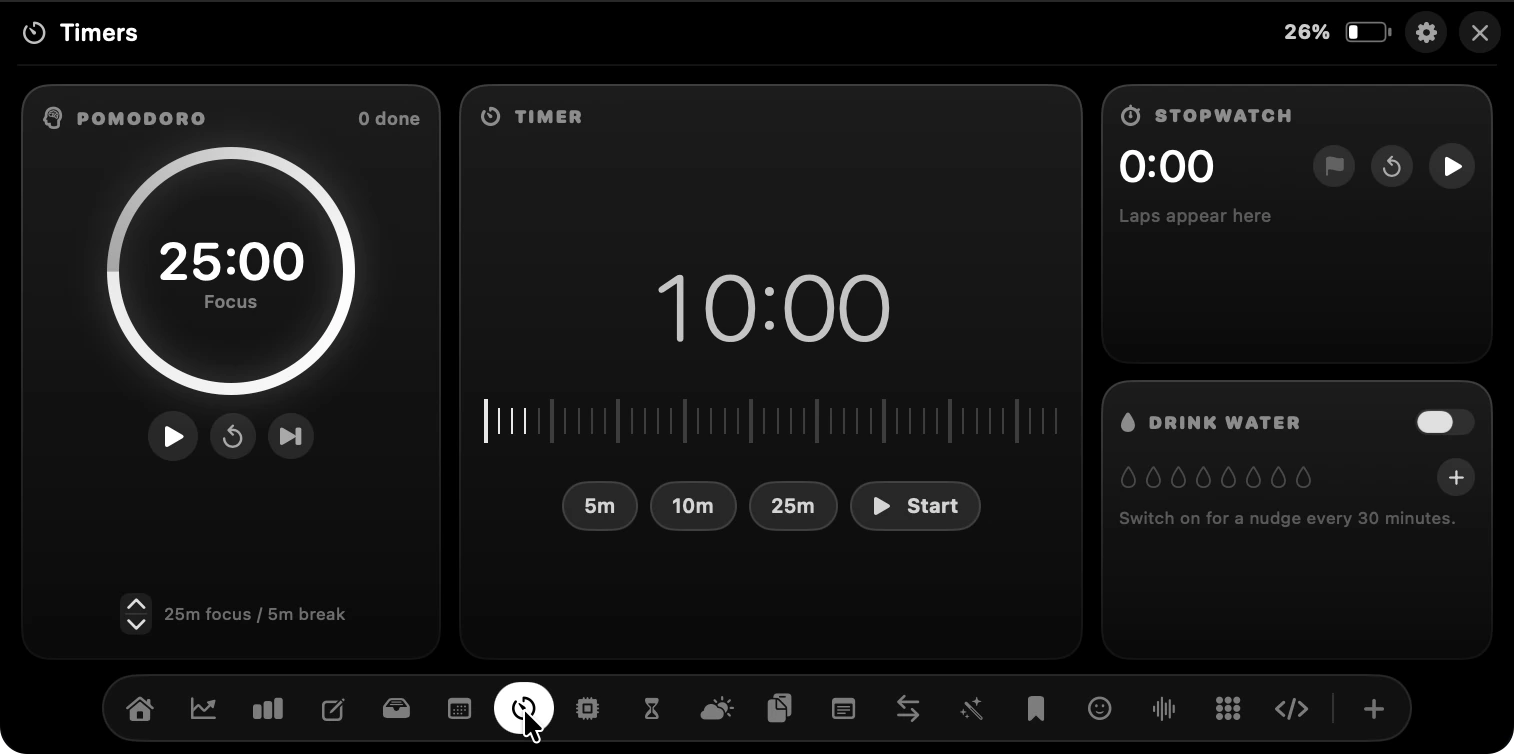
25/5 pomodoro, quick 5m·10m·25m countdowns, a lap stopwatch, and a water nudge every half hour.
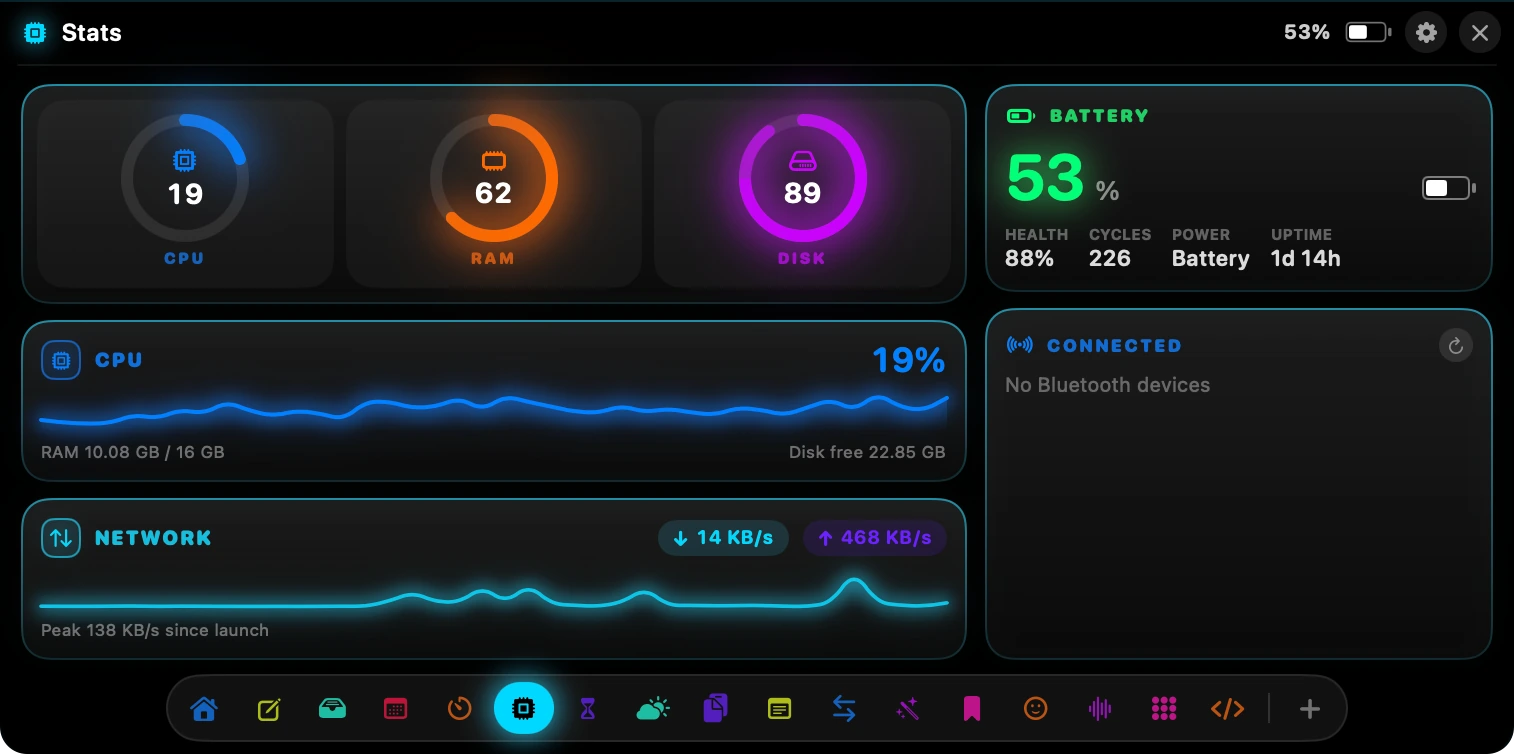
CPU, memory and disk as live rings, plus network throughput and real battery health.
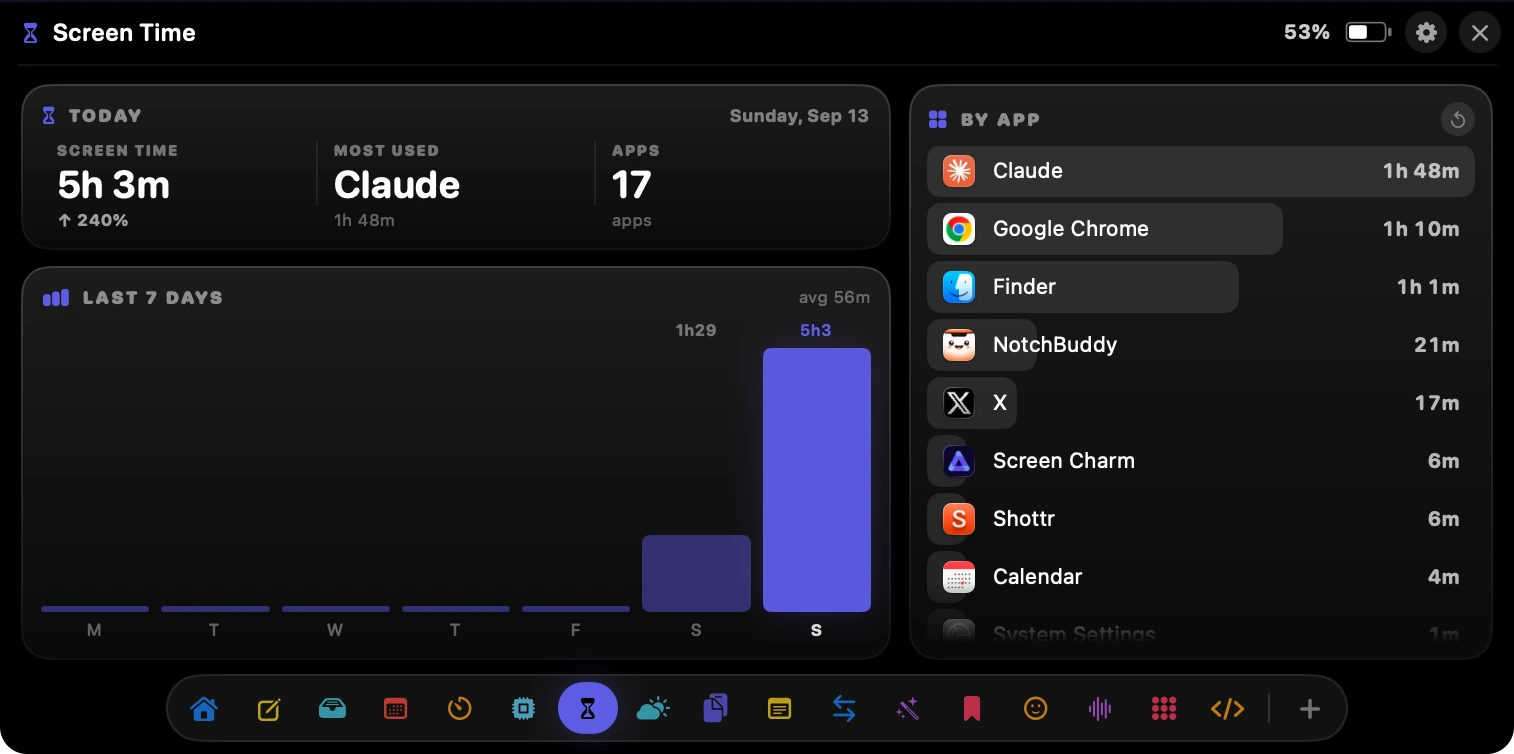
Today's total, your most-used app, and a seven-day chart with the per-app breakdown beside it.
Tokens burned today, messages, tool calls, sessions and the project you are in — plus a consistency grid that fills in as the streak grows. Built for people who spend the day in a terminal with Claude Code open.
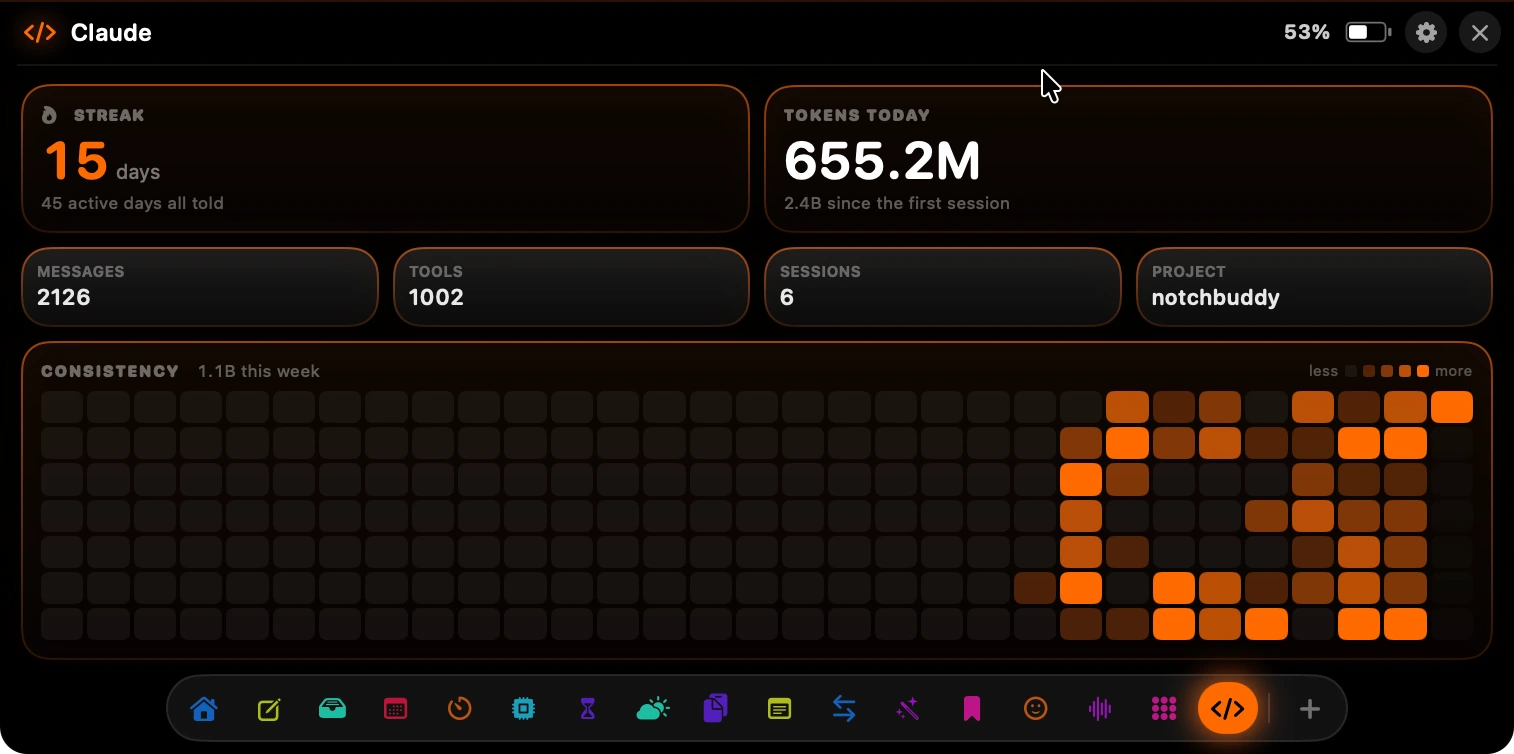
Closed, Notch Plus is just the notch — the black bar that is already there. Put one number on it and it becomes the smallest dashboard on your Mac.

Analytics keeps today's count on the glass.

Revenue posts every sale as it lands.

Any tool can own the resting state.
The Message tool runs your own text across the notch in a dot-matrix scroll — with Bounce, Wave, Sparkle, Pulse and Rainbow animations, a colour of your choosing, and a flash when you want to be noticed.
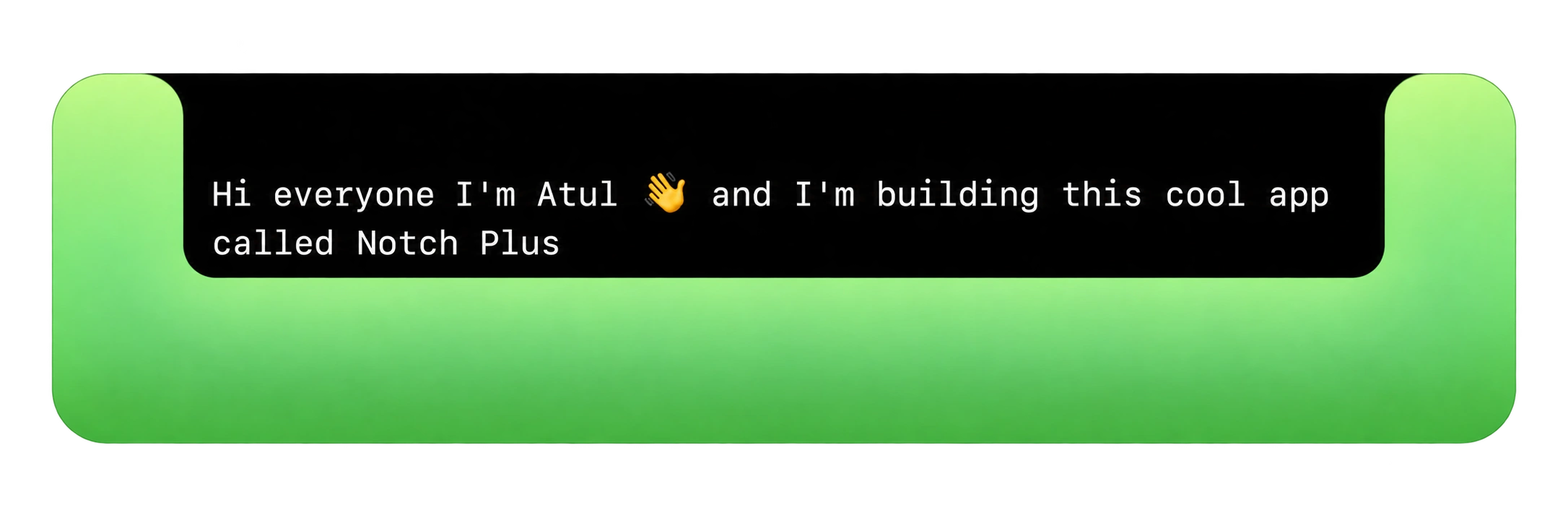
None of these need an app of their own. All of them are quicker from the notch than from anywhere else.
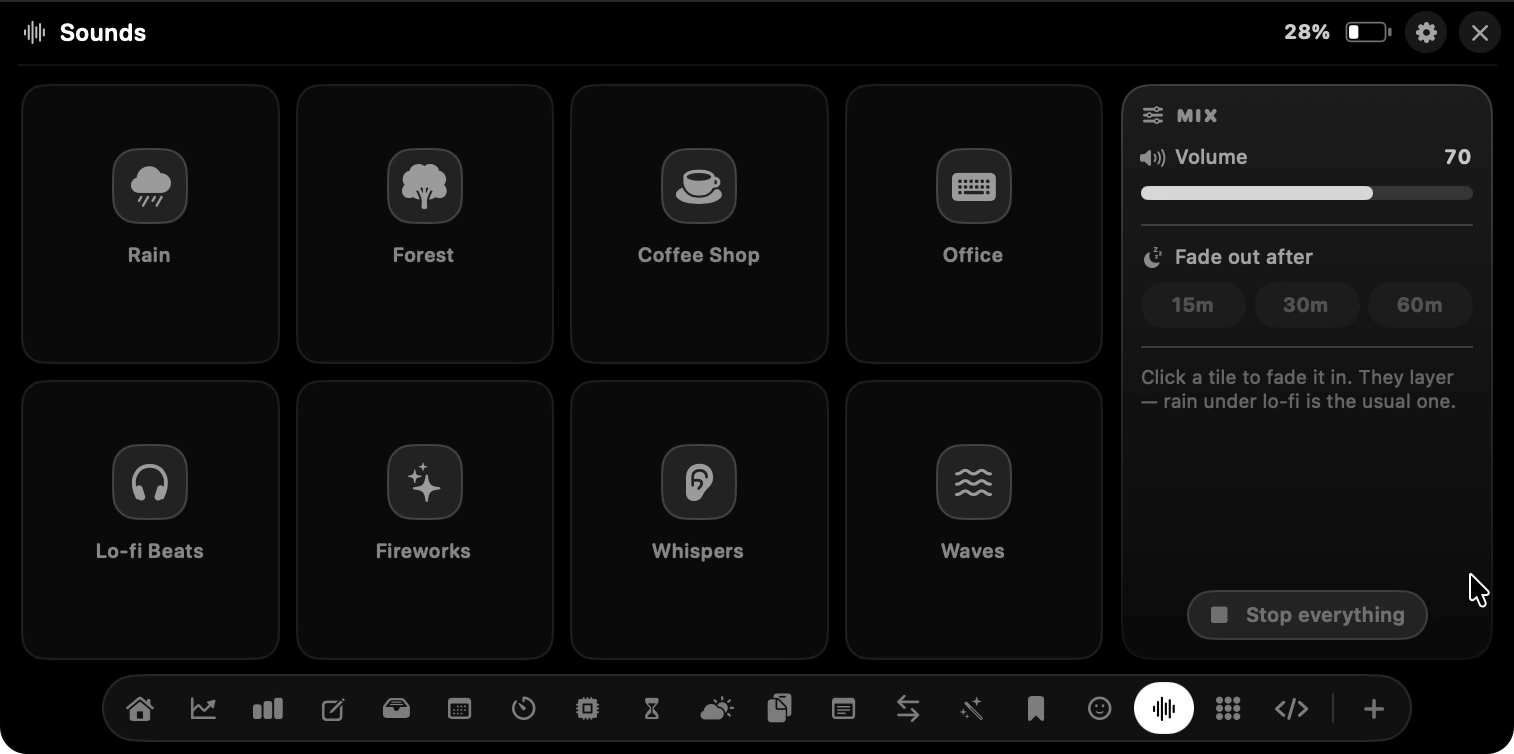
Eight rooms to sit in. Tap tiles to fade them in together — rain under lo-fi is the usual one — set the volume, and give it a fade-out so it stops on its own.
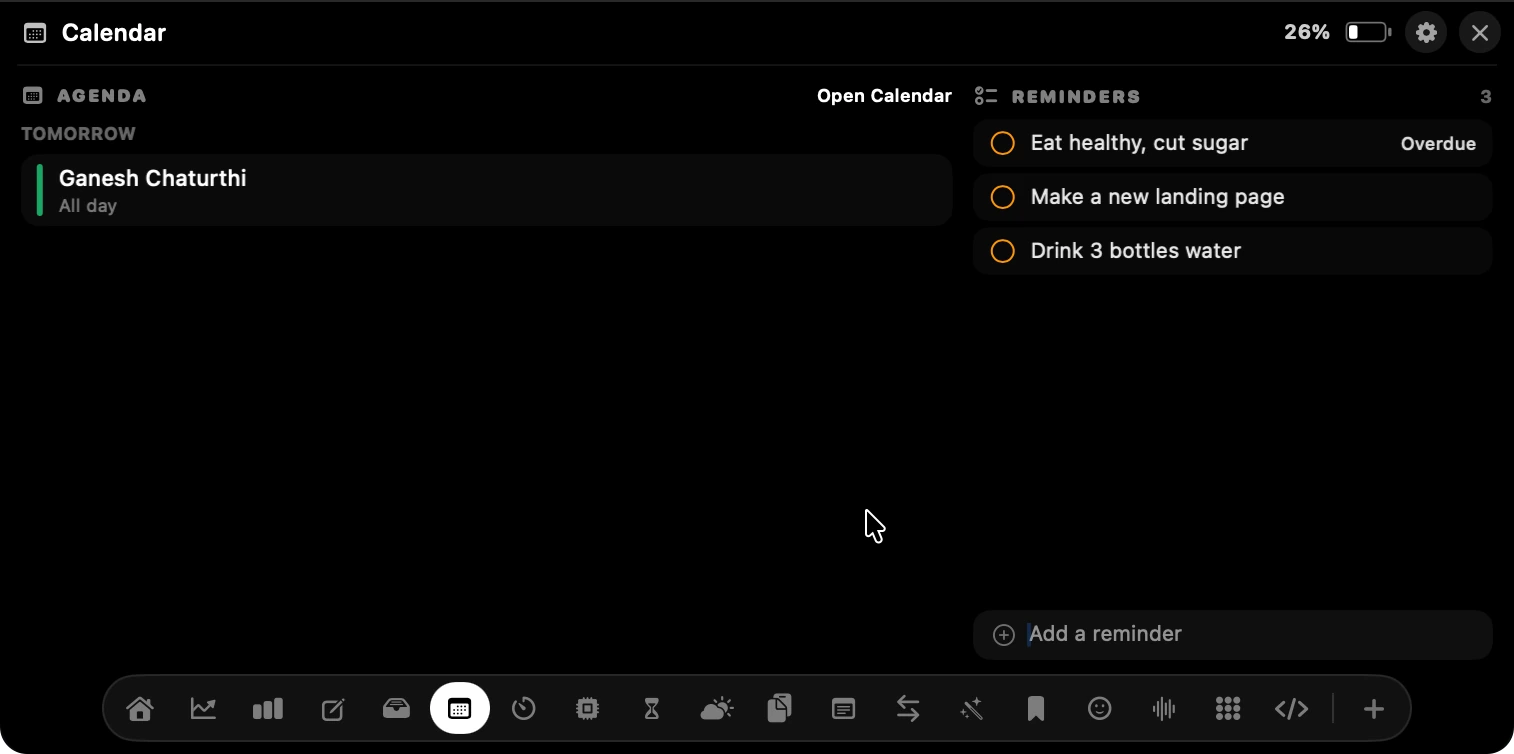
Seven days of events with the reminders that matter beside them. Add one without opening anything.
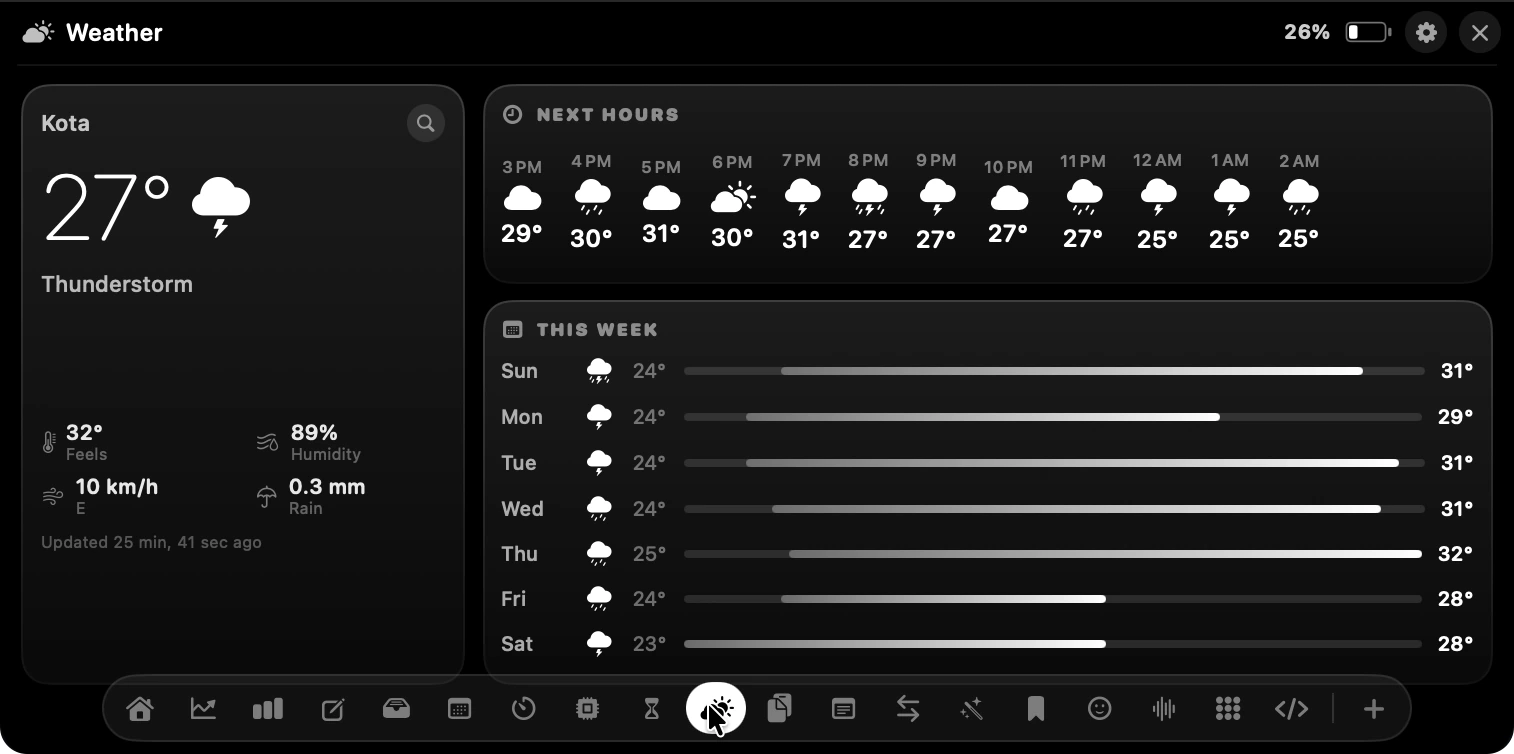
Feels-like, humidity, wind and rain, the next twelve hours, and the week as a temperature range.
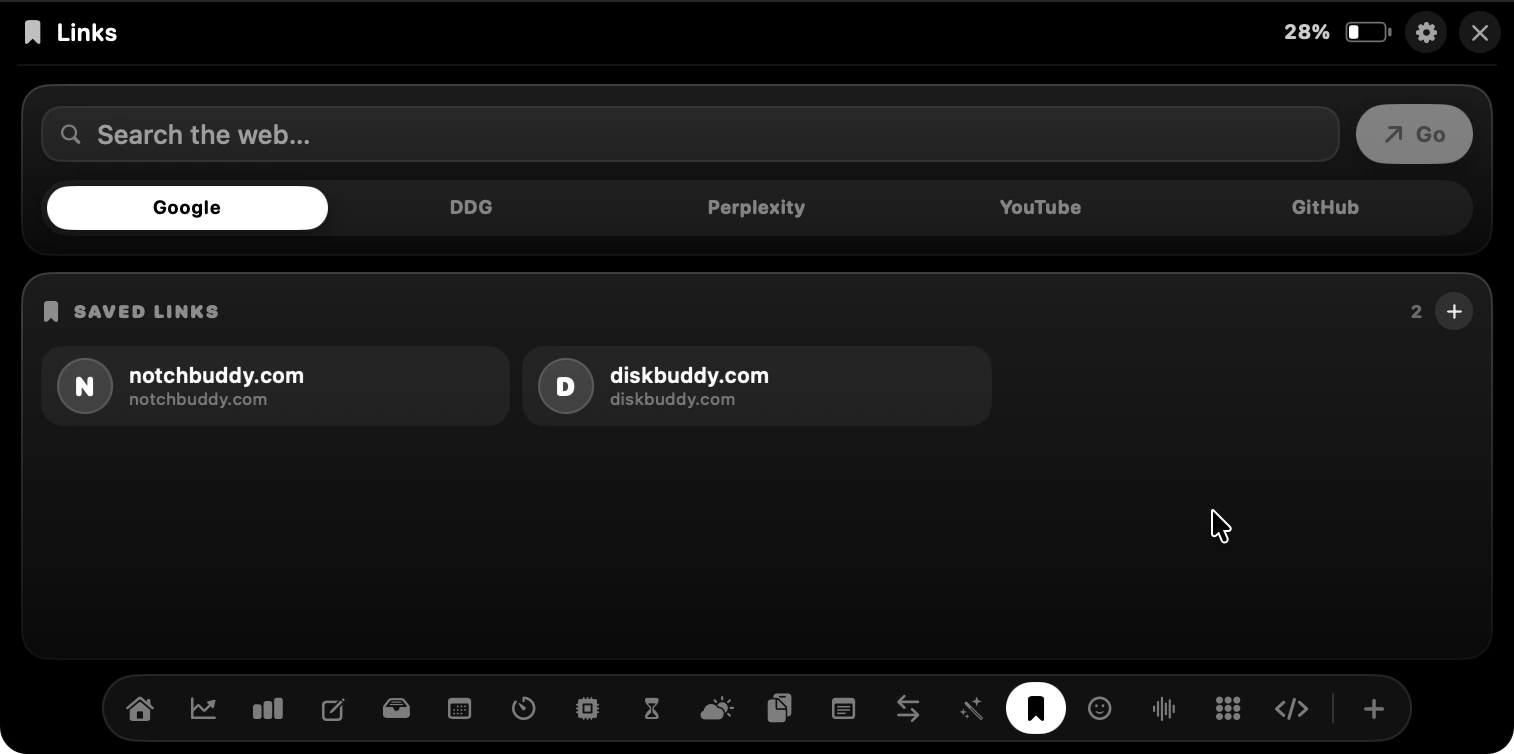
Google, DDG, Perplexity, YouTube or GitHub from the notch, plus the handful of sites you actually live in.
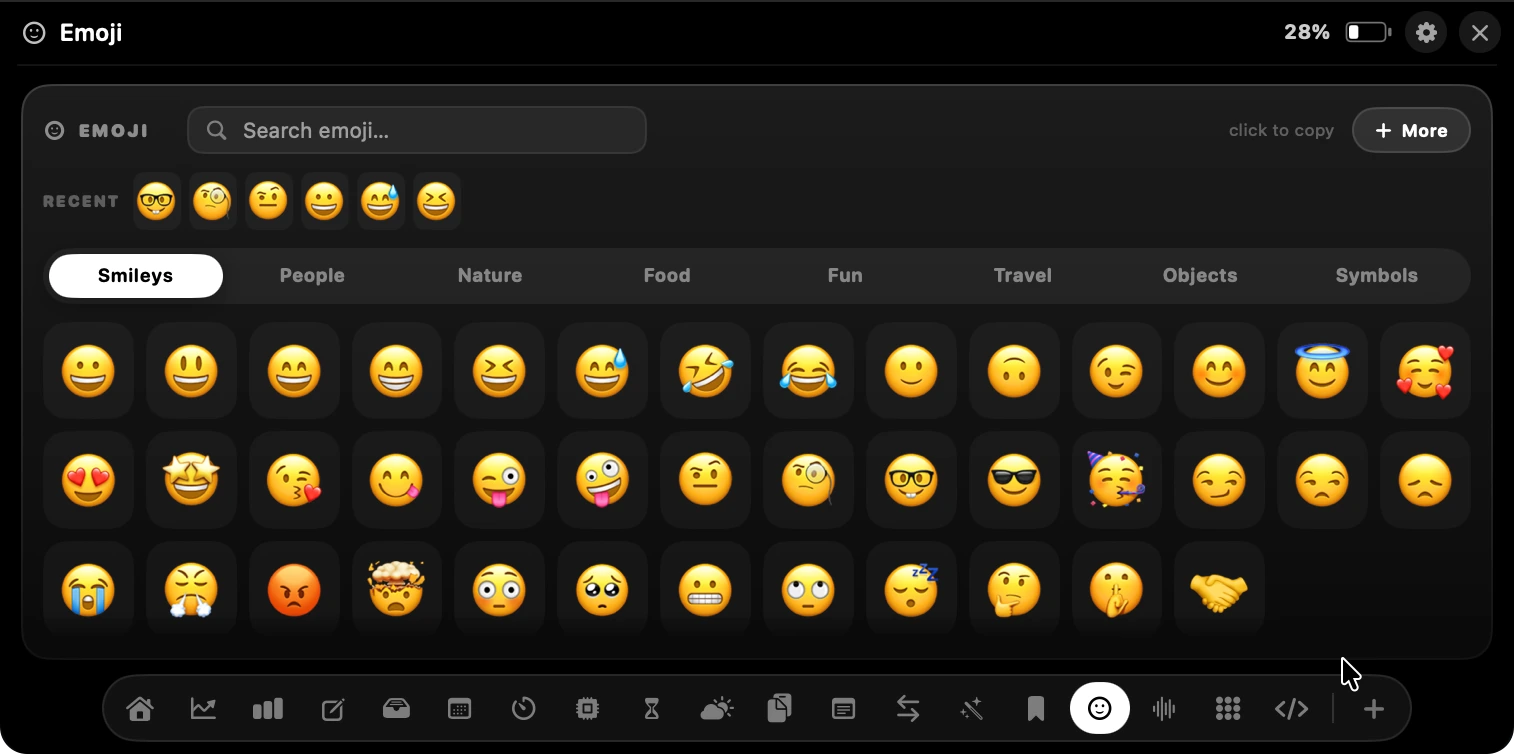
Searchable, categorised, and right there — no shortcut to remember, no focus stolen from your text field.
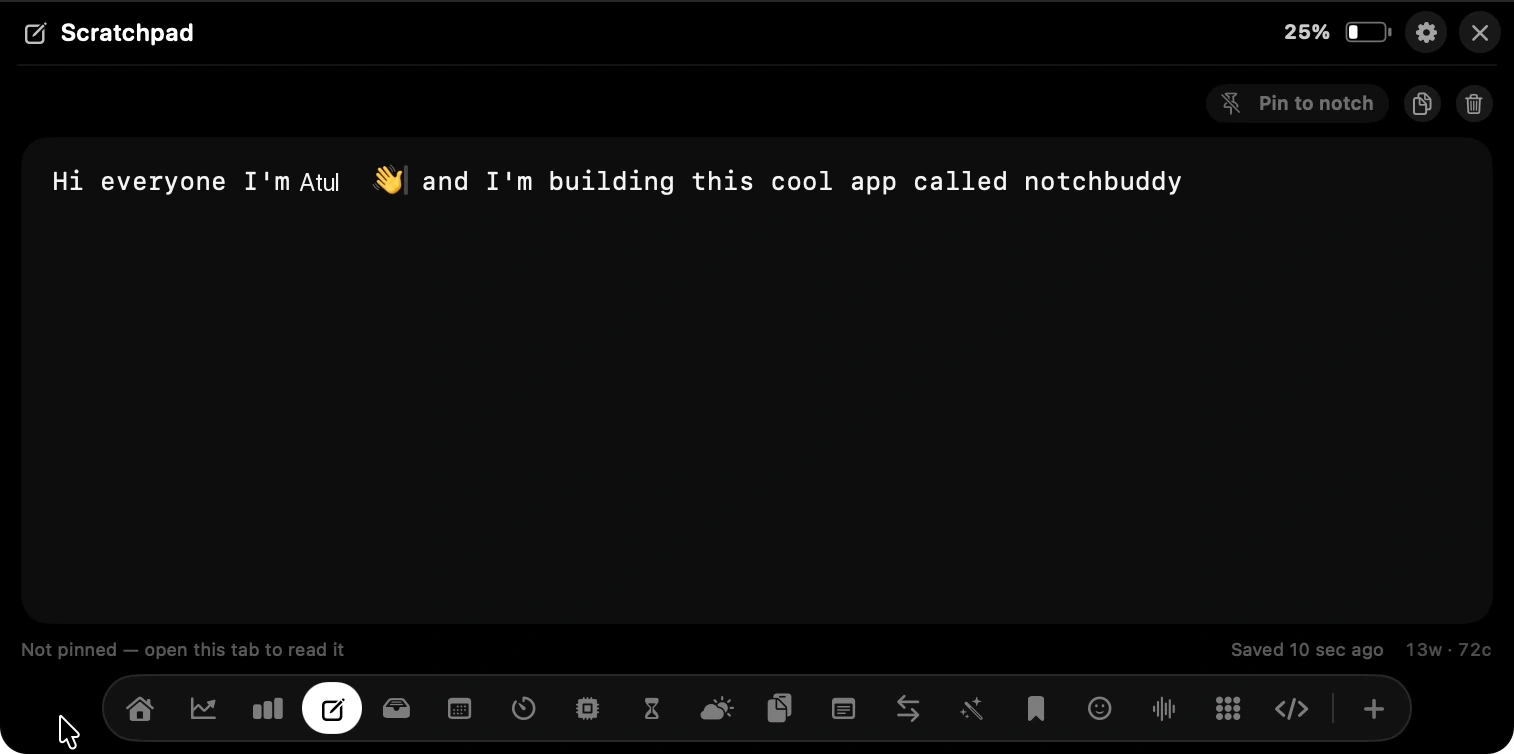
For the thing you will need in ninety seconds. Pin it to the notch and it stays visible while you work.
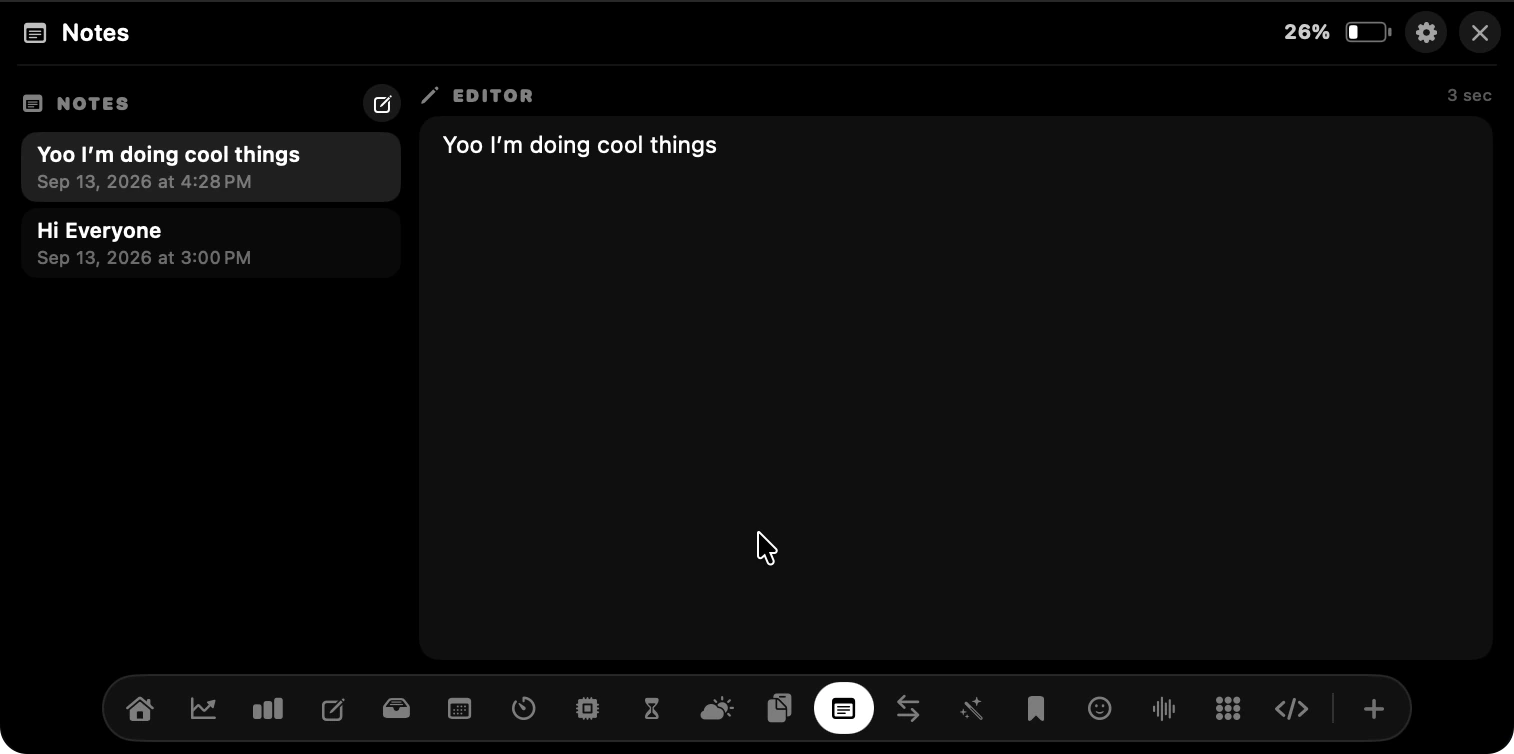
A proper list with an editor next to it, for the thoughts that outgrow the scratchpad.
Three looks ship with the app, and they change the panel everywhere at once. The settings window keeps macOS's own colours either way.
Black and white or custom single accent. Nothing competes with the reading.
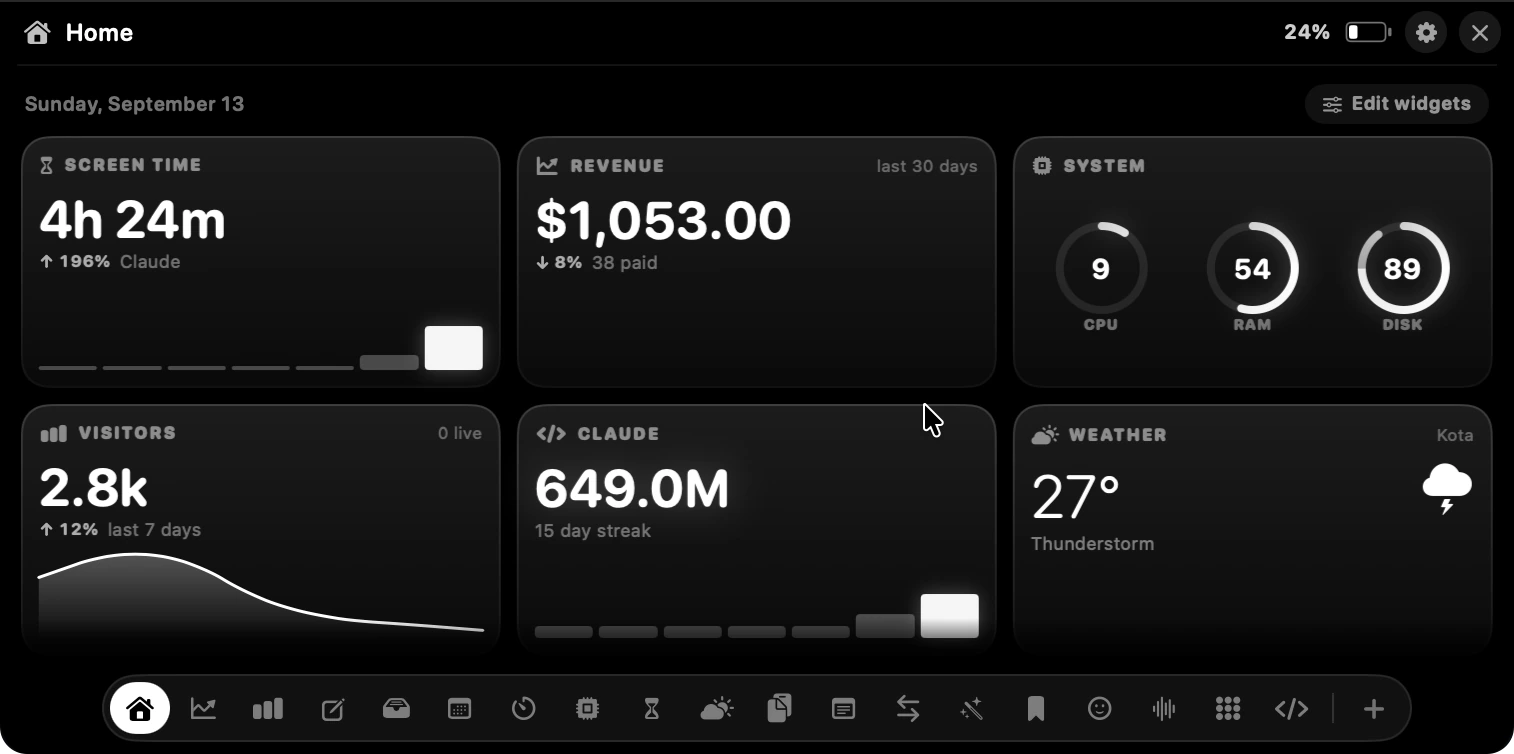
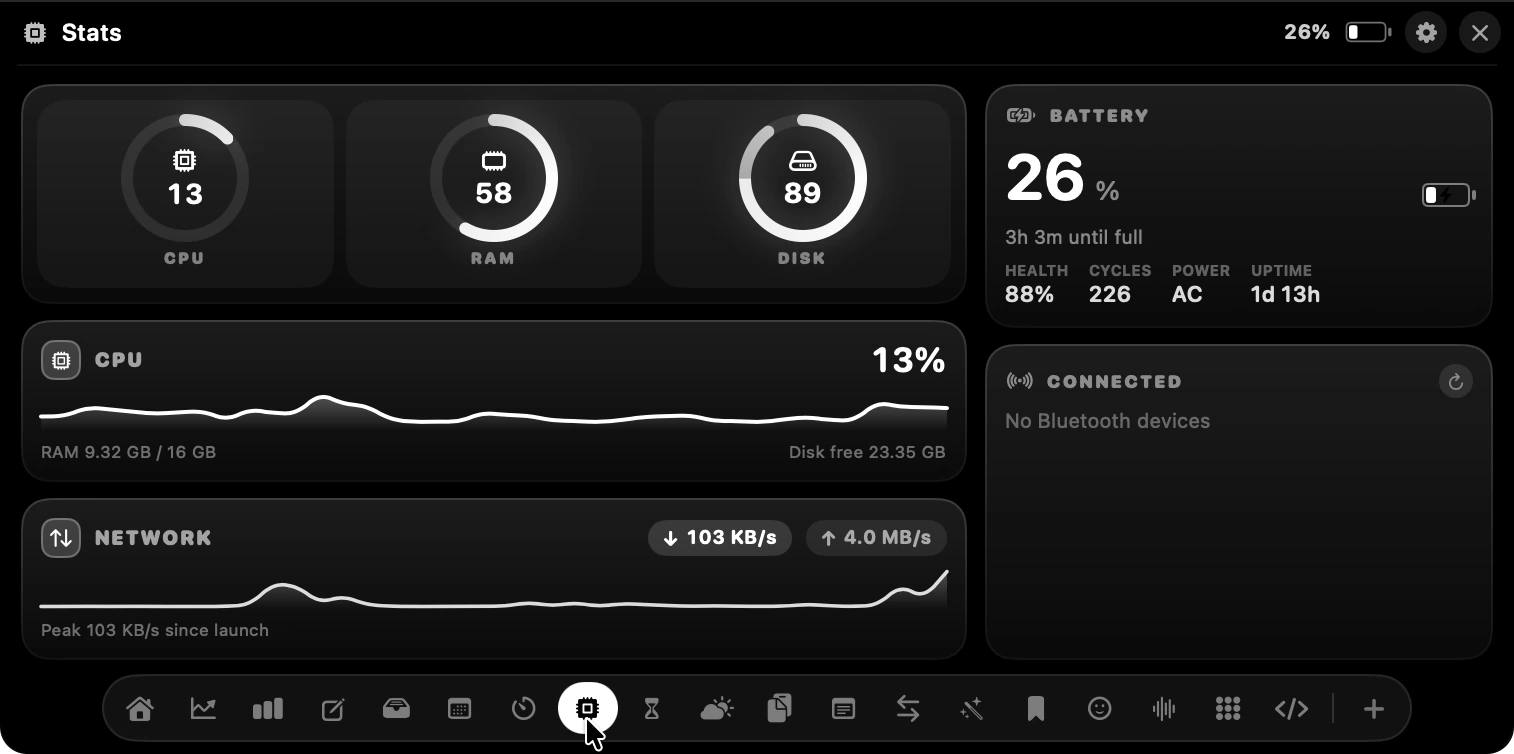
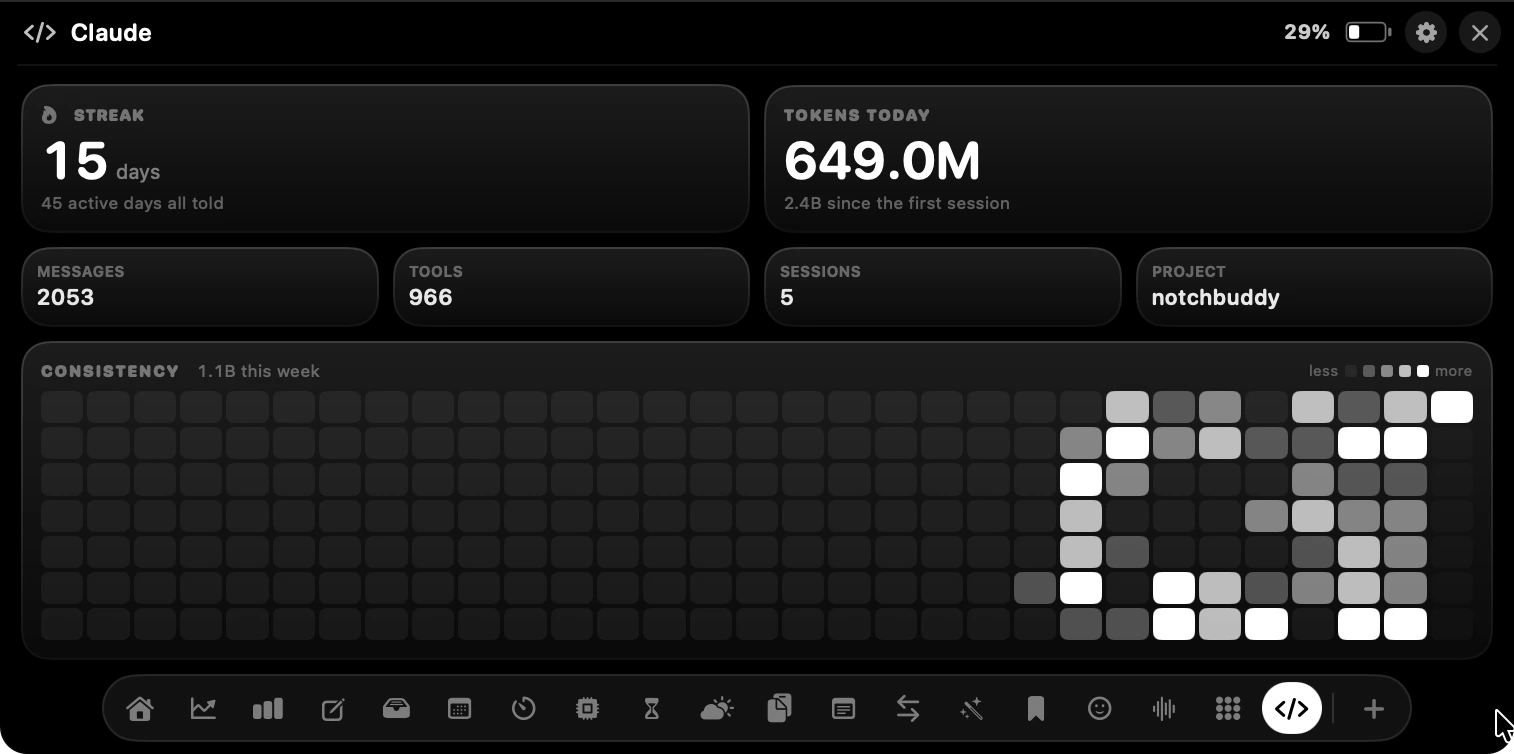
Each one is a simple on/off switch in Settings. Turn off what you don't need and it disappears from the row of icons at the bottom of the panel, so the notch only holds what you actually open.
Download the DMG, drag to Applications, and launch. That's it — no account, no sign-up.
Move your cursor to the top of the screen. The notch reacts and the panel slides open.
Pick a tool, get what you need, and carry on. The panel collapses when you look away.
Notch Plus is designed as a local-first application. Your data stays on your machine unless you explicitly connect an external service.
Clipboard, notes, screen time, shelf and conversions never leave your Mac.
No sign-up, no email, no login. Enter a licence key and go.
API keys for integrations are stored in the macOS Keychain — encrypted and sandboxed.
When you connect Stripe or DataFast, the app talks directly to their API. No proxy, no middleman.
No analytics, no tracking, no usage reporting unless you explicitly configure it.
Everything is stored in your app container. Delete the app, it's gone.
Zero telemetry. No intermediary servers. All data stays strictly on your macOS container.
Here is what people are saying after making Notch Plus their daily Mac companion.

Ravi
@RaviDamor016
“Okay this is actually such a smart use of the notch. Notch Plus is truly useful.”

Priya Sharma
@priyasharma
“This is one of those apps where you immediately get the idea. So simple, so useful.”

Vikram Patel
@vikrampatel
“Honestly love how much you can do without opening another window.”

Ananya Iyer
@ananya_iyer
“The little details are SO good. This feels native to macOS.”

Dhire Mistry
@DhireMistry
“I’ve had a Mac with a notch for years and never thought about using it like this.”

Meera Nair
@meeranair
“Whoever came up with this deserves credit. Turning the notch into a command center is genius.”
Buy it once and it is yours forever, all updates included. If it doesn't fit how you work, email within 14 days and we'll refund every penny.
First 100 spots only · Few left
Early Backer · Next 100 spots
Standard price · After 200 users

International · Card / Apple Pay / Paypal
⚡ First 100 spots onlyFew left at $3.99
Next batch jumps to $7.99 (Save 84% today)
Before you download.
Yes. Turn on the simulated notch in Settings and Notch Plus draws one at the top of the screen, so it works the same on a MacBook Air without a notch, an iMac, or an external display. You can also pick which display it lives on, or leave it automatic.
Nowhere. Clipboard history, notes, screen time, shelf files and image conversions all stay on your Mac. The only things that reach the internet are the services you connect yourself — your payment provider and your analytics — and those are queried directly.
Notch Plus asks for a restricted key with read access to balance transactions only. It can read what you have earned and nothing else — it cannot move money, refund, or change anything on your account.
Hover the notch. There is an adjustable delay so a passing cursor doesn't trigger it, and you can switch hover-to-open off entirely if you would rather click.
It hides itself while an app is fullscreen by default, and the collapsed state is only as tall as the notch you already have. Plus, when using the built-in Prompter during video calls, it is 100% invisible to Zoom, Google Meet, Microsoft Teams, and screen recordings.
No — every one of the 21 tools is a switch. Turn off what you don't use and it disappears from the panel entirely.
Yes. Email us within 14 days of buying and we'll refund it, no explanation needed. One thing to know: refunding revokes your licence key, so Notch Plus stops unlocking on every Mac it was activated on and the app returns to the licence screen.
No. One payment, lifetime access, updates included. There is no account to create and nothing to renew.
22 tools, three themes, one purchase. A useful notch for everything you do in daily life.
 macOS 14 Sonoma or later · Apple Silicon & Intel